
Housekeeping app
The housekeeping app for hotel teams — hotel housekeeping software your room attendants will actually open.
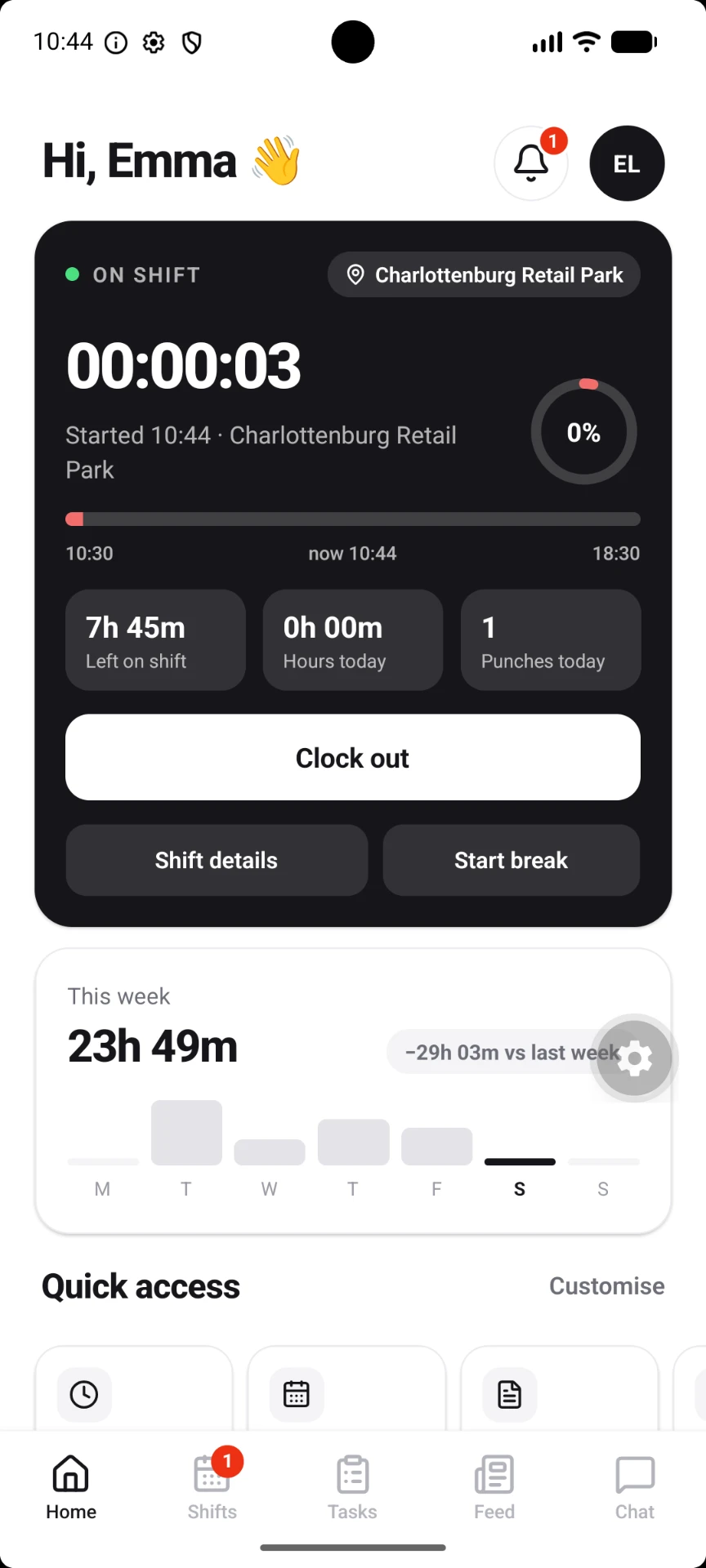
CERQA Crew is a modular housekeeping app for hotel teams: Shifts, Tasks, Surveys, Feed, Chat, AI chatbot, Help desk, Events calendar, Lost & Found and Expenses — all on every housekeeper's own phone, in their language. It installs from a link in one tap, so there is nothing to roll out and nothing to buy.
Available today as an installable web app (PWA). Native iOS and Android apps are in development.
Why it matters
Paper lists, WhatsApp groups and a printed rota on the back office wall.
Most independent hotels run housekeeping on tools nobody designed for it. Rooms get cleaned twice or not at all, a Do Not Disturb sign is discovered after the knock, and reception has no idea which rooms are ready to sell.
Rooms are ready before reception knows
Attendants mark a room clean on their phone and the status updates for the front desk the same second.
No knocking on Do Not Disturb
Guests set DND from their own device. The room drops out of the cleaning list until they clear it.
Hours you can actually trust
Clock-in and out is checked against the property's location, so timesheets reflect who was really on the floor.
Modular by design
Ten tools. One app. Turn on what your hotel needs.
Scheduling & attendance
Shifts
Cleaning & maintenance
Tasks

Forms & inspections
Surveys
Team updates
Feed
Channels & messages
Chat

CERQAI assistant
AI Chatbot
Internal tickets
Help Desk
Meetings & reminders
Events Calendar
Track & match items
Lost & Found

Receipts & approvals
Expenses
Inside the app
Everything a housekeeper needs in a shift — nothing else.
- —Room cleaning assignments — managers assign rooms; each attendant sees only their own list, with checkout and stayover flagged.
- —Do Not Disturb awareness — guest-set DND hides the room until it's cleared, or until end-of-stay cleaning applies.
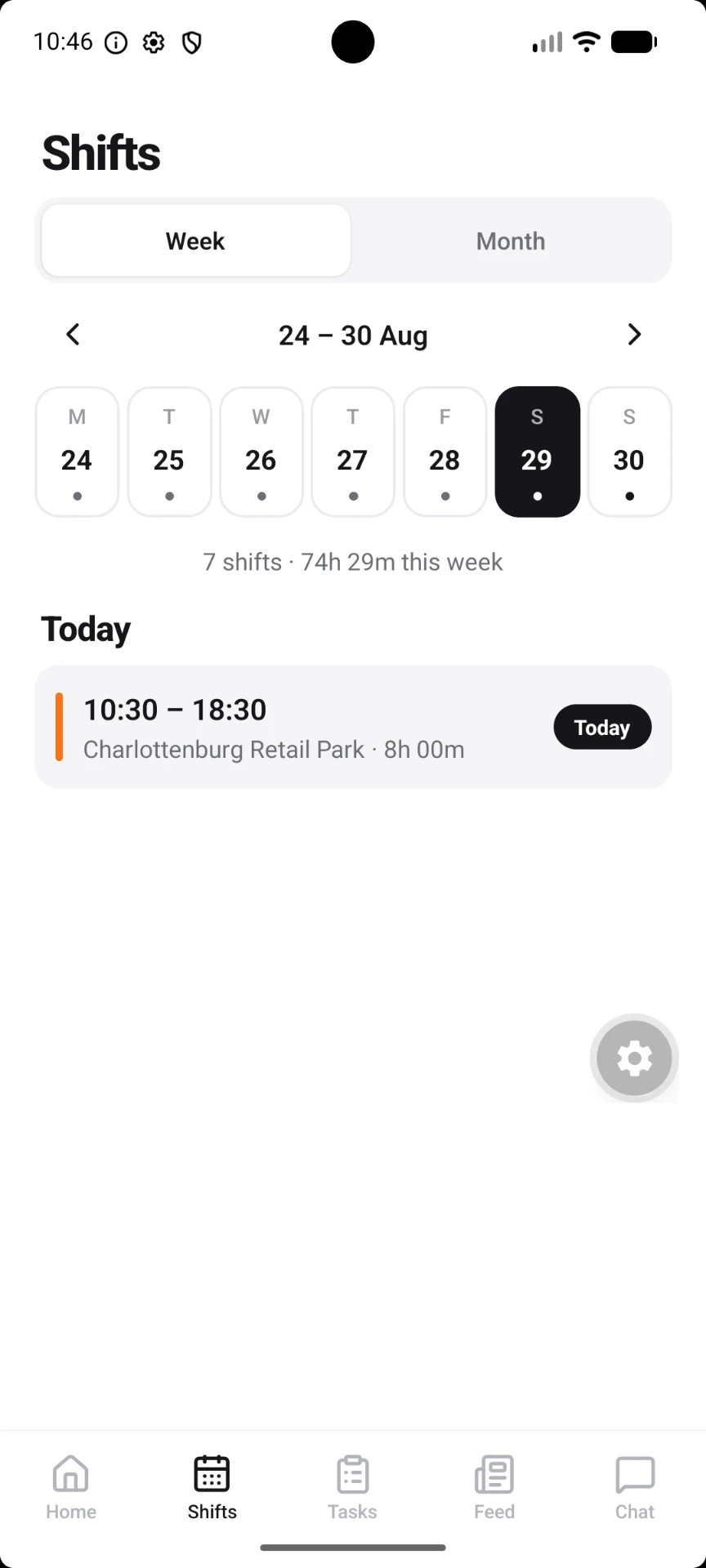
- —Shift schedule — week and month views of the rota, with schedule emails when it changes.
- —Geofenced clock-in and out — attendance verified against the hotel's coordinates, with hours per day and week.
- —Time-off requests — staff request from the app, managers approve or decline in the dashboard.
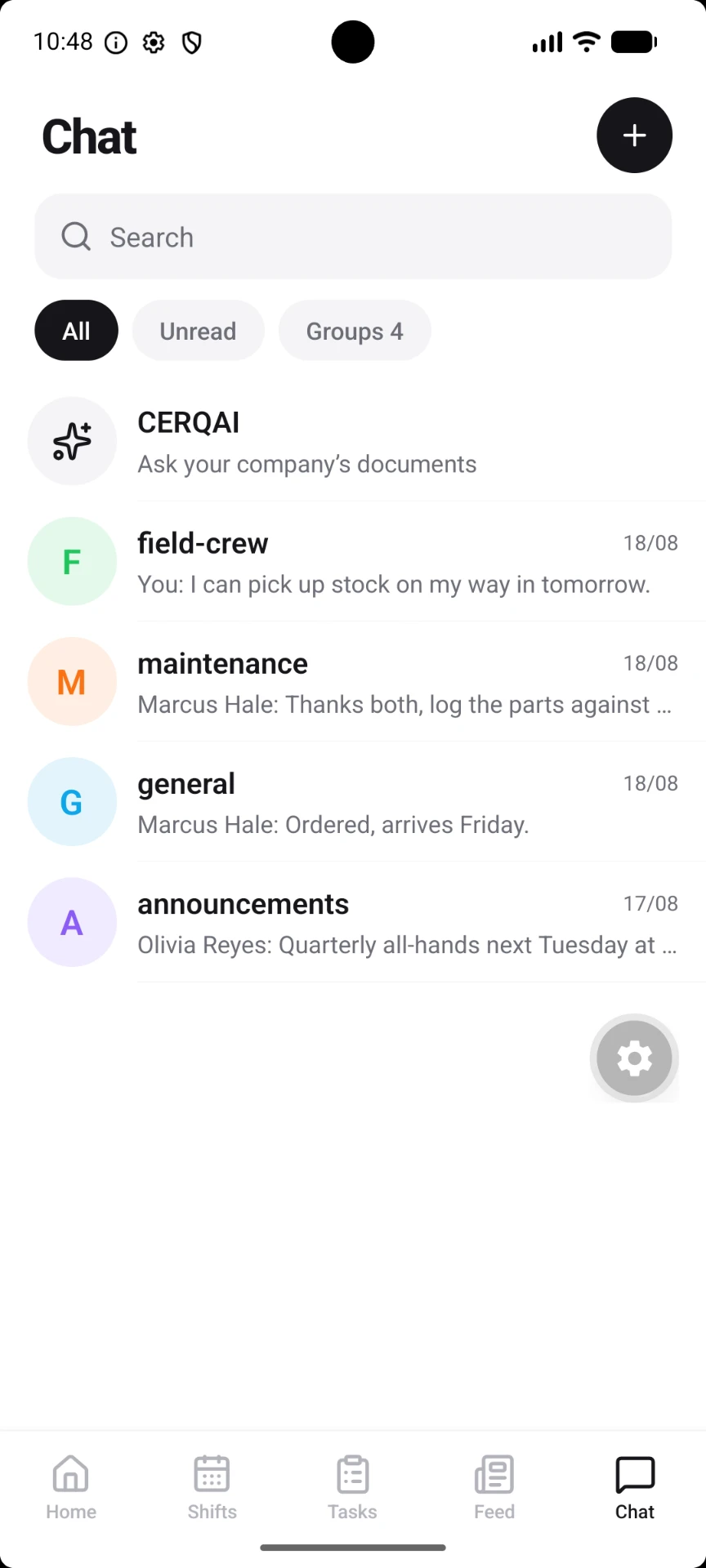
- —Team chat and announcements — groups and one-to-one messages, plus hotel-wide notices everyone sees.
One team, one thread
Stop running your floor from a personal WhatsApp group.
Housekeeping, maintenance and reception talk in channels that belong to the hotel — not to someone's phone number. When a staff member leaves, access leaves with them, and nothing about your guests walks out the door.
- —Channels and direct messages — per-department or hotel-wide
- —Announcements — pinned notices every crew member sees on open
- —Role-based access — housekeeping, restaurant, reception and managers see their own tools
Rolling it out
On the floor by the next shift.
I
Invite the team
Add your staff in the dashboard with their role. They get an email, set a password and they're in.
II
Add to home screen
One tap installs the Crew app on iPhone or Android. No app store account, no device management, no cost per install.
III
Assign and go
Publish the rota, assign rooms, and watch statuses and hours update as the shift runs.
About native apps: dedicated iOS and Android apps are in development. Until they ship, the Crew PWA gives your team the same screens from their home screen — and when the native apps arrive, the same login carries over.
Next step
See it with your own rooms in it.
Fifteen minutes, your floor plan, your shifts. We'll show you the housekeeping app and the dashboard behind it.